Tasks & reminders
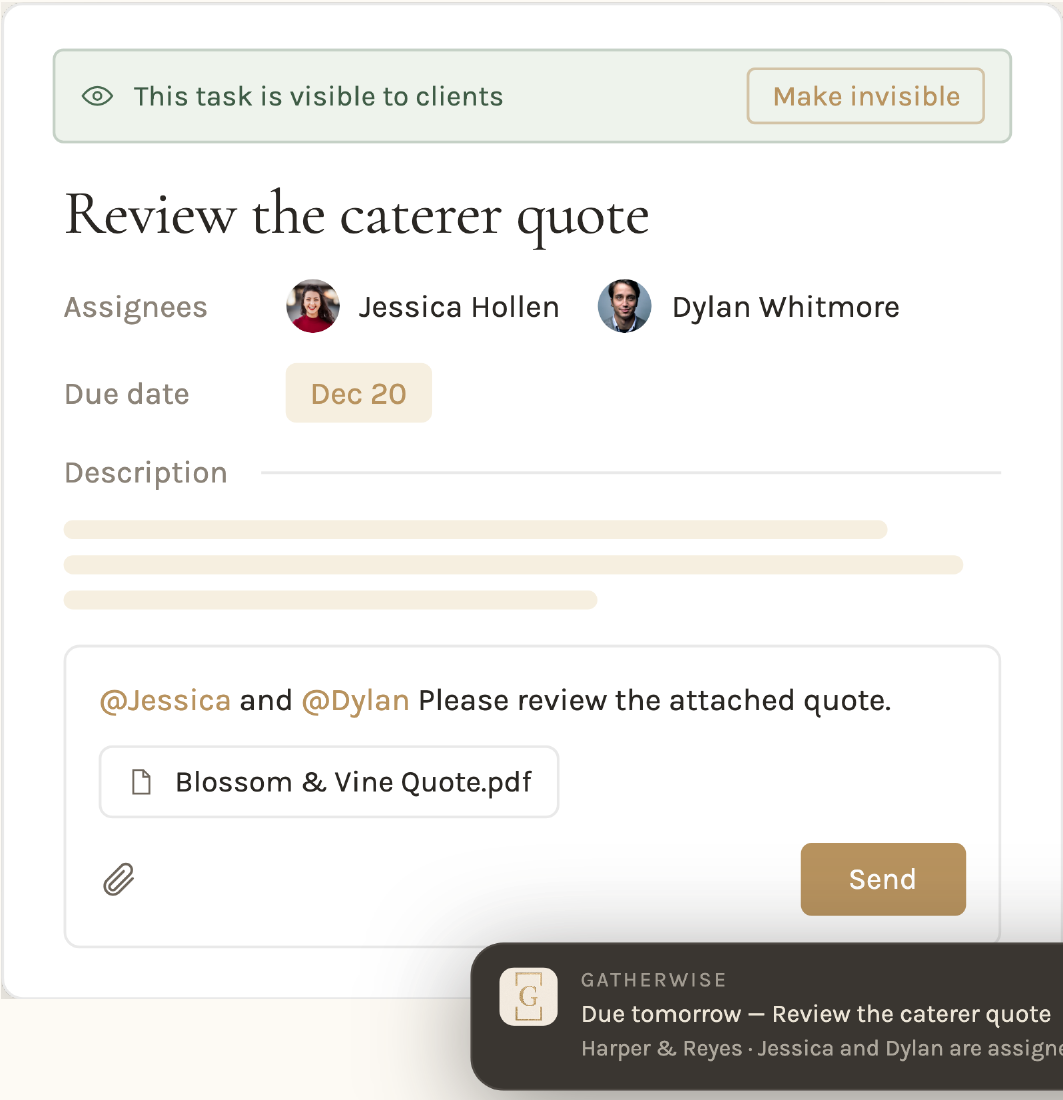
A task carries its own assignees, due date, attachments and conversation — so, for example, the caterer's quote is approved where the work lives. When the date gets close, the reminder goes out on its own — by email and as a push to the phone in your pocket. Anything the client does not need to see can be made invisible with one tap.
One place to answer
Comments, @mentions and the attached quote sit on the task itself.
Nothing slips
Due dates send their own reminders by email and push, to whoever is assigned.
Behind the scenes
Mark a task invisible and the client never sees it — the internal chase stays yours.
Everything else on the event.
Timelines, budgets, vendors and exports all live on the same event record — here is the rest of what replaces the other tools in your stack.
Timelines
Every event in Gatherwise has its own timeline, built once and shared as a filtered PDF or live link.
See how it worksSeating & layout
Drag tables onto the room, seat guests by name, and color the seats by meal choice.
See how it worksInvoicing
Build the invoice on the event it belongs to, and switch on the payment methods you want.
See how it worksBudget
Estimated against actual, category by category, with paid and still due in the same row.
See how it worksPDF & live page
Choose the sections to include, preview it, and generate both a branded PDF and a live page in one step.
See how it worksVendors & budget
Each vendor keeps its own contacts, notes and documents — and the budget line it is attached to.
See how it worksStart your free trial
Bring one live event over and see how it feels to run it in Gatherwise.
Cancel anytime